zero waste · sustainability topics · right to repair · 5 min read
Framework: build/repair/upgrade your own laptop
I've bought a new laptop. I wasn't planning to, but Microsoft announced that they were going to stop providing support for Windows 10, and one of my main clients insisted that I had to upgrade to Wind...
Y
Yuno DinnieOct 29, 2025 · 5 min
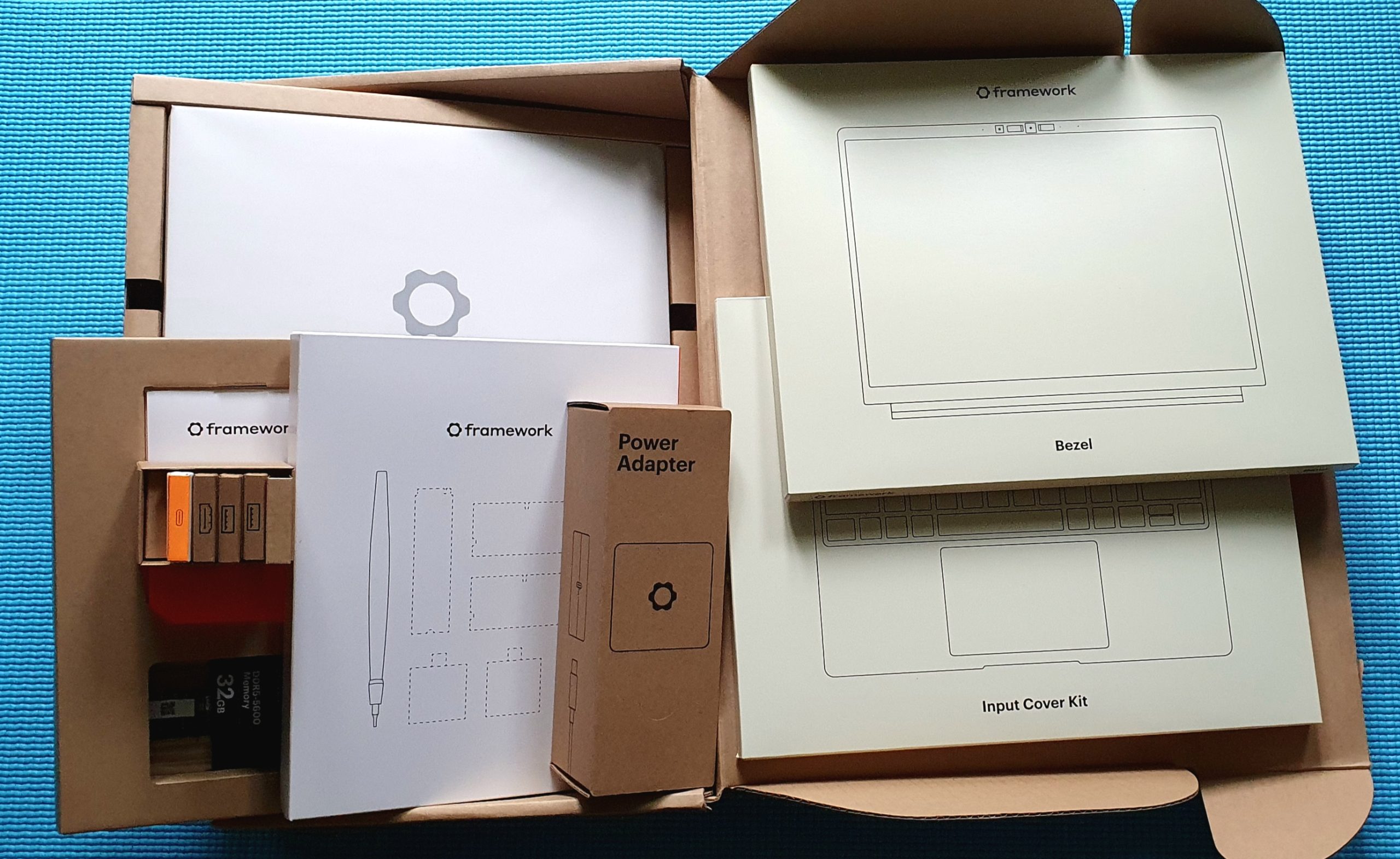
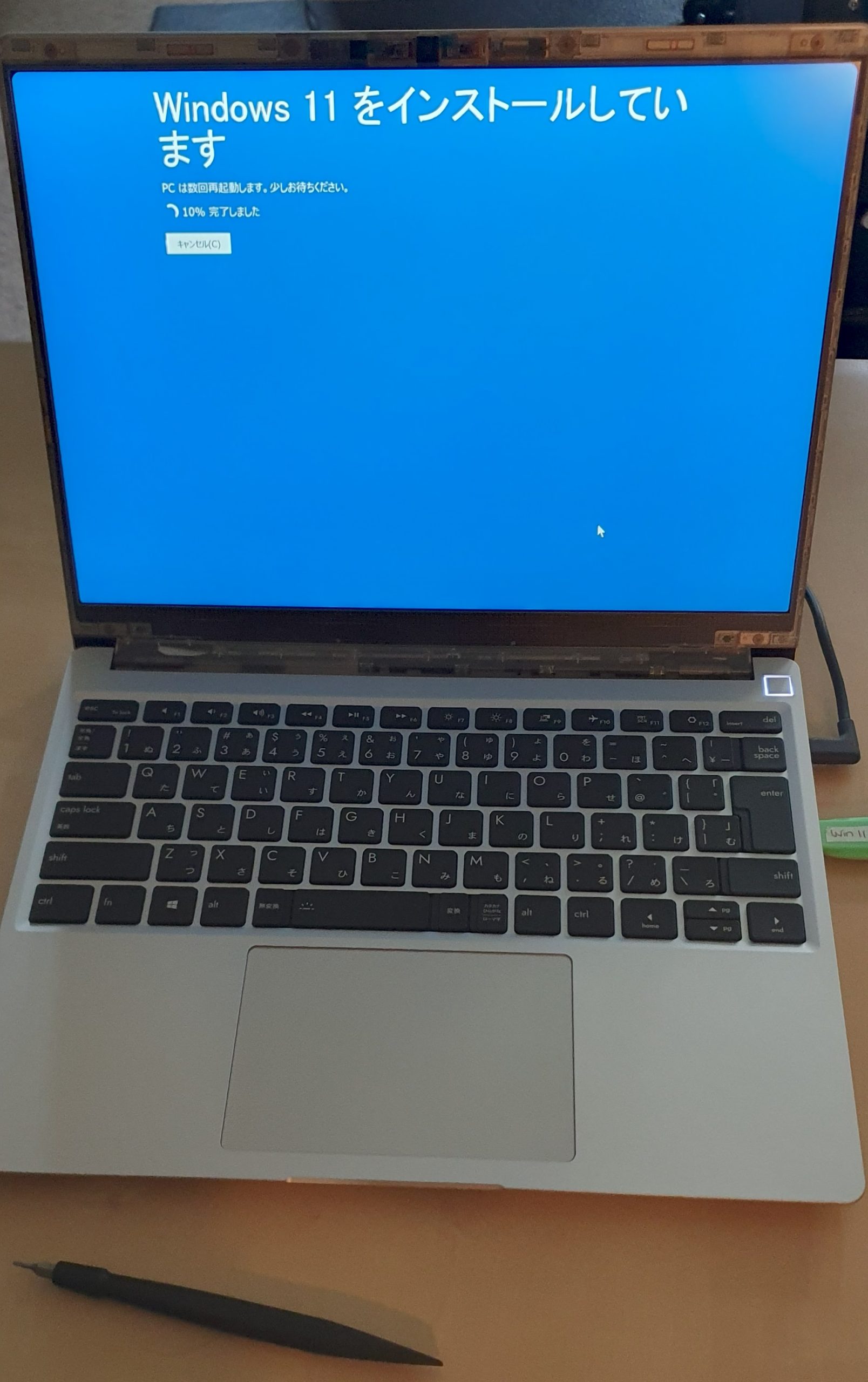
I've bought a new laptop. I wasn't planning to, but Microsoft announced that they were going to stop providing support for Windows 10, and one of my main clients insisted that I had to upgrade to Windows 11 for security reasons. Okay, fine, I thought, but then I discovered that the dinky little laptop I had been using for the last 10 or so years was too old and underpowered to be upgraded to Win 11. Problem was, I needed a laptop with a Japanese keyboard. There are two ways of typing Japanese text, Kana mode and Romaji mode. I've always used the Kana mode, and you need a Japanese (JIS) keyboard for that. In previous times when I had to upgrade my computer, I bought a laptop while visiting Japan to see my parents/attend CPD events and brought it back with me, but that was not an option this time. I had to somehow find a way to procure a laptop with a Japanese keyboard in Scotland. But how? There was only one option I knew of, and that was Framework Laptop. 歯車のロゴがついたシルバーカラーの13インチノートパソコンの上に、framework書かれたブランドステッカーと、"You should be able to fix your stuff"(自分のものは自分で修理できるべき)というスローガンのステッカーが載せてある。 Framework Computer was founded in 2020, around the time when the issue of 'right to repair' was gaining prominence. The company was built on the idea of offering laptop computers users can customise and repair themselves. Custom-built desktop computers are nothing new, but laptops are a whole different story - they are designed to be pretty much impossible to take apart. I was excited by the arrival of the company from the start, but keyboard options were limited back then, so although I loved the concept, it was not something I would consider buying for myself. Fortunately, things had changed in the intervening years - it was now possible to buy a Framework Laptop 13 with the Japanese keyboard. So I placed my order on their website and waited for its delivery. 段ボール箱の中から出てきた数々のボール紙の箱。A cardboard box duly arrived a few days later, which contained lots of smaller boxes. One of them had a QR code printing on it, which took me to a webpage containing step-by-step instructions on how to put the bits in those boxes together and build your own laptop. 組立が完成したノートパソコンを開いた状態。ブルースクリーンに「Windows 11をインストールしています」とのメッセージが表示されている。キーボードは日本語配列。パソコンの前にはペンの形をした組み立てツール(ドライバー)が置かれている。The parcel also contained a pen-like screwdriver tool with a reversible bit, the only tool you need to accomplish the task. After about half an hour of following the instructions, my Japanese laptop was complete. It occurred to me only after finishing the process that I should have taken some work-in-progress photos (sorry). You can take a look at the photos and video clips on the step-by-step instructions page if you are curious. Now all that was left to do was to install the Windows 11 upgrade I had downloaded. フレームワークコンピューターウェブサイトのショップより、13インチモデル用インプットカバーキットのページ。カバーをパソコンに組み込もうとしている写真と、キーボードオプションのドロップダウンメニューが表示されている。The unique selling point of Framework products is that you need to buy a whole computer only once. Everything can be replaceable if want to repair or upgrade your laptop or just change things around. The company's website lists a huge array of parts you can buy. The photo above shows what they call an input cover kit, which is a cover with a keyboard and a touch pad pre-assembled, but you can also buy those components individually. Need a new display? A finger print reader? No problem. Just buy what you need to replace and follow the instructions. You can even replace the mainboard, so if you need to upgrade your laptop a few years down the line, you can buy a new mainboard with the latest processor instead of buying a whole laptop. One interesting feature is the expansion card system. When you buy a laptop, how many and what ports it has is one of the key points you consider. Framework Laptop 13 only has four ports including the power port (which is USB-C, so when you are not charging your laptop, you can plug other things in there). This would normally be a negative, but these ports are designed as cards you can take out, so you can buy more than four and switch them around as needed. USB-A and USB-C, for sure - need an Ethernet port? DisplayPort? HDMI? Audio? No problem. SD or MicroSD slot? For sure, have both. You can even get a 1TB external drive in the form of an expansion card. フレームワークコンピューターウェブサイトのショップより、エクスパンションカードのページ。さまざまな端子オプションが並んでいる。 Framework Laptop 13 is not cheap. That was not really an issue for me personally considering the only other option was to fly to Japan to buy a laptop, but if you are not in need of a laptop with a non-standard keyboard, you can certainly pick up a lot cheaper one with similar performance and features. On the other hand, however, a repairable, customisable and upgradable laptop you don't need to scrap just because Microsoft has put out a new version of Windows is an attractive proposition if you loathe the idea of disposable electronics and planned obsolescence.




No comments yet. Be the first to comment!